ECOMMERCE & DISCOVERABILITY
Native cannabis eCommerce.
Built for your growth.
Your online store should help shoppers find your products, complete an order, and come back. Here’s what to look for beyond the menu and the URL.

Checkout.
Repeat business.
The business case, at a glance.
- 01
Make your products easier to discover through useful, indexable pages.
- 02
Keep your brand consistent from the first visit through checkout.
- 03
Connect shopping behavior with the tools that bring customers back.
01 / THE FOUNDATION
An online store that belongs to your brand.
For many dispensaries, getting online starts with a menu added to an existing website. It is a practical way to begin taking orders. As the business grows, the question changes: does that setup also help people find your products, shop with confidence, and become repeat customers?
In this article, native cannabis eCommerce means a storefront integrated into your main website, with product and category pages on your own domain, such as yourstore.com/shop/. Your branding, content, and shopping journey form one connected experience.
Native is a description of that experience, not a universal technical certification. A URL alone cannot tell you how a store performs, what your team can edit, or which customer data you can access.
| Setup | What it means | What to ask |
|---|---|---|
Native storefrontyourstore.com/shop/ | Product and category pages integrated with your main website. | Which content, merchandising, and customer tools can your team control? |
Subdomainshop.yourstore.com | The shop uses a separate host name under your domain. | How are navigation, analytics, customer accounts, and SEO managed? |
Reverse proxyyourstore.com/shop/ | A server forwards requests to another system behind the scenes. | Who controls page output, redirects, caching, and troubleshooting? |
Embedded menuyourstore.com/menu/ | Another page is displayed inside yours, often through an iframe. | Which product URLs are indexable, and where does the shopping journey continue? |
Subdomains, reverse proxies, and embedded menus describe different things. A subdomain is an address; a reverse proxy is part of how content is served; an iframe displays another page inside your page. These approaches can also overlap. Evaluate the implementation and the control it gives you.
02 / ATTRACT MORE SHOPPERS
Give the products you carry a way to be found.
A shopper may know the product, brand, or category they want before they know your store. If your website only gives search engines a homepage and a single menu page, you may be missing opportunities to meet that demand.
A connected catalog gives you dedicated places to explain what you sell. Category pages help shoppers browse. Product pages answer purchase questions. Links between them help people and search engines move through the store.
Google recommends a navigable path from categories to products. It generally does not submit queries into a website’s search box to discover the catalog. That makes accessible links and useful page content essential, regardless of the platform. See Google’s eCommerce site-structure guidance.
/flower/blue-dream//flower/The commercial goal is clear: help shoppers searching for what you carry reach a relevant page on your store. Measure organic visits, product-page engagement, and completed orders together. More indexed pages are useful only when they help customers shop.
03 / TURN VISITS INTO ORDERS
Make the whole shopping journey feel like your store.
Your in-store experience has a personality. Your website should carry it through product browsing, promotions, fulfillment choices, and checkout. A familiar design helps shoppers understand where they are and what to do next.
Limited menu templates can make it harder to express that identity or improve the buying journey. But moving to a native storefront should not mean commissioning an endlessly custom website. Control the parts that matter to your brand, including visuals, messaging, merchandising, and the offers you want shoppers to see.
The platform should handle dependable commerce fundamentals. Look for fast pages, clear availability, useful product information, and checkout that makes payment and fulfillment options easy to understand. Test the experience on a phone, where extra friction is especially noticeable.
A shopper should be able to move from a relevant product to a completed order without having to relearn the interface. That is the experience to evaluate, not just whether the address bar changes.
04 / BRING CUSTOMERS BACK
Use what shoppers do to improve what happens next.
The value of an online store continues after checkout. Purchase history can reveal favorite categories. Product views show interest. An unfinished cart points to a purchase that needs another nudge.
When that activity connects to customer profiles, your team can build useful audiences and follow-ups: a relevant product launch for repeat buyers, a reminder about an unfinished cart, or a timely offer for customers who have stopped returning.
Data access depends on your platform and agreement, not the URL structure. Ask what you can track, export, and use in your own tools. Confirm how online and in-store activity is connected, how communication preferences are recorded, and what happens to your data if you change providers.
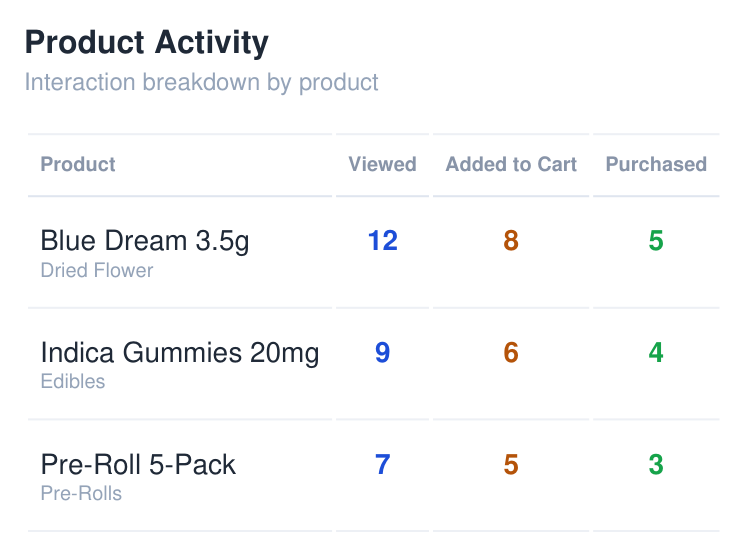
Breadstack connects customer profiles, segments, and marketing automation so shopping activity can inform the next campaign. The purpose is better relevance and more repeat sales, with less manual list-building.
05 / CONNECT YOUR OPERATIONS
Choose a store that can grow with the business.
A website is only one part of retail. Inventory comes from your POS. Orders need to reach the right team. Delivery needs a workable dispatch process. Loyalty and promotions need to make sense both online and in store.
Disconnected tools create extra work: re-entering information, checking stock in multiple places, or manually moving orders between systems. A connected platform helps your team manage the journey from product discovery to fulfillment.
As your needs change, you may want to add delivery, open another location, introduce membership pricing, or improve customer engagement. Ask how those changes are supported, what needs development, and which integrations are available. For market-specific requirements, confirm the supported workflows with your provider rather than assuming any website architecture guarantees compliance.
06 / PUT IT INTO PRACTICE
Build around the outcomes you want to improve.
Breadstack brings branded eCommerce, SEO and discoverability, site search, delivery, and customer engagement into a connected retail platform. Your brand stays central while the tools behind it help your team sell and fulfill more efficiently.
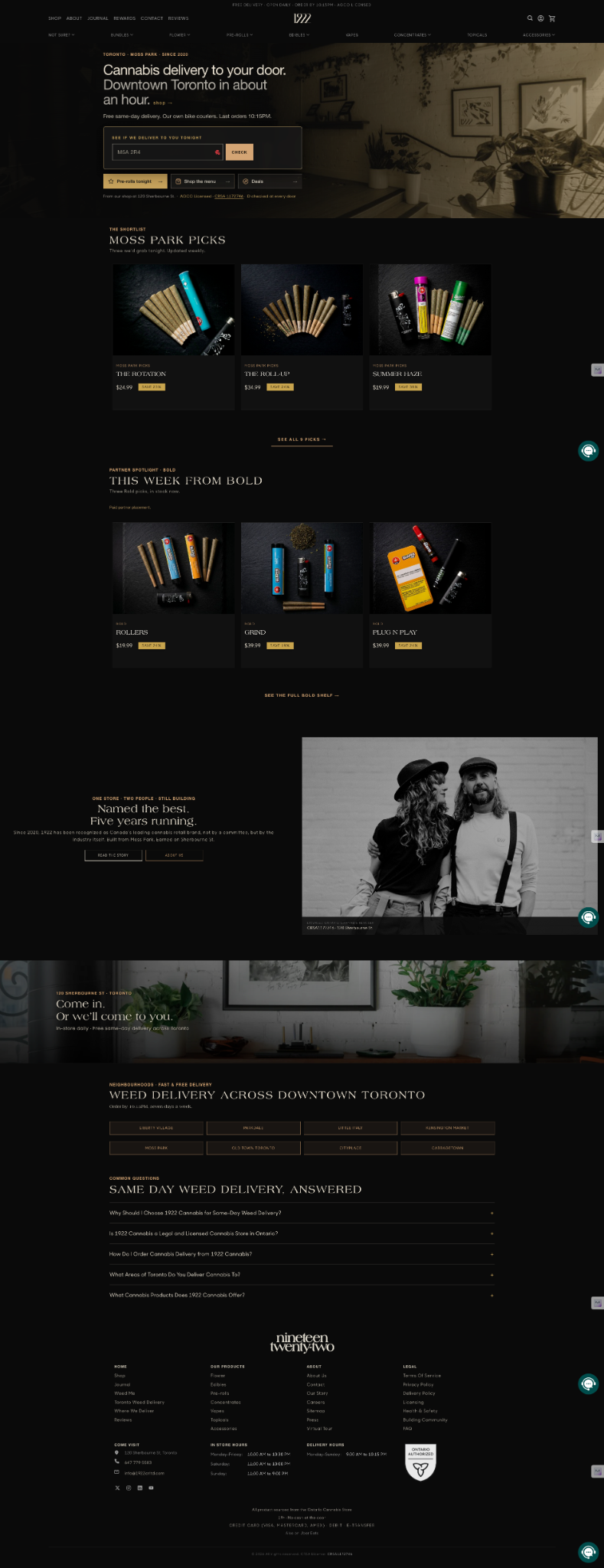
Retailers including Stok’d Cannabis, Lolly Cannabis, The WeStore, Lake City Cannabis, and 1922 Cannabis illustrate the range of brands an integrated storefront can support. Their stores have different identities and operating models. The goal is a shopping experience that reflects each business.
The customer stories below show how changes to the website and the wider retail operation worked together. These are retailer-specific results from multiple improvements, not a prediction of what a URL change will deliver.
In the first 4.5 months after launch, alongside improvements to SEO, checkout, and customer communication.
Read the customer story THE WESTORE~$50kmore in monthly salesApproximate early increase following the rollout of a connected eCommerce and delivery operation.
Read the customer story07 / MAKE A BETTER DECISION
Ask for a walkthrough, not just a feature list.
Use these questions to assess your current setup or compare platforms. Ask the provider to show the actual workflow so you can see what your team and customers will experience.
Can shoppers land directly on a product?
Open a product and a category page. Check for stable URLs, useful content, and links that work without running an internal search.
What can we control without a development project?
Ask to see how you change branding, banners, merchandising, promotions, and store information. Separate routine edits from custom work.
Can a customer complete an order easily on mobile?
Walk through availability, cart, payment, and pickup or delivery. Look for unclear steps, repeated information, and unnecessary friction.
Can we access and act on customer data?
Review profiles, behavior tracking, exports, communication preferences, and integrations. Confirm which capabilities and data rights are included.
What happens when an order reaches the store?
Follow inventory and order updates through the POS, store team, and delivery workflow. Identify any manual handoffs.
How will we measure progress and protect existing traffic?
Agree on a baseline for organic visits, conversion, order value, and repeat purchases. Ask for a migration plan that maps existing URLs to relevant replacements.
08 / COMMON QUESTIONS
A few things to clarify before you switch.
Will moving my shop onto my main domain automatically improve rankings?
No. The move can simplify how you manage the site, but results depend on the pages, content, links, technical implementation, and competition. Preserve valuable URLs where practical and plan redirects for those that change.
Does native eCommerce mean we need a fully custom website?
No. A well-designed platform can give you control over your brand and merchandising while using proven shopping and checkout patterns. Ask which changes your team can make and which need specialist work.
How should we handle existing product and category URLs?
Inventory them before the move, map changed URLs to their closest relevant replacements, and use server-side permanent redirects. Update internal links and the sitemap, then monitor indexing and traffic after launch.
The right foundation gives your team more control over discovery, the shopping experience, and customer engagement. Choose the setup that helps you improve those outcomes and measure the progress.