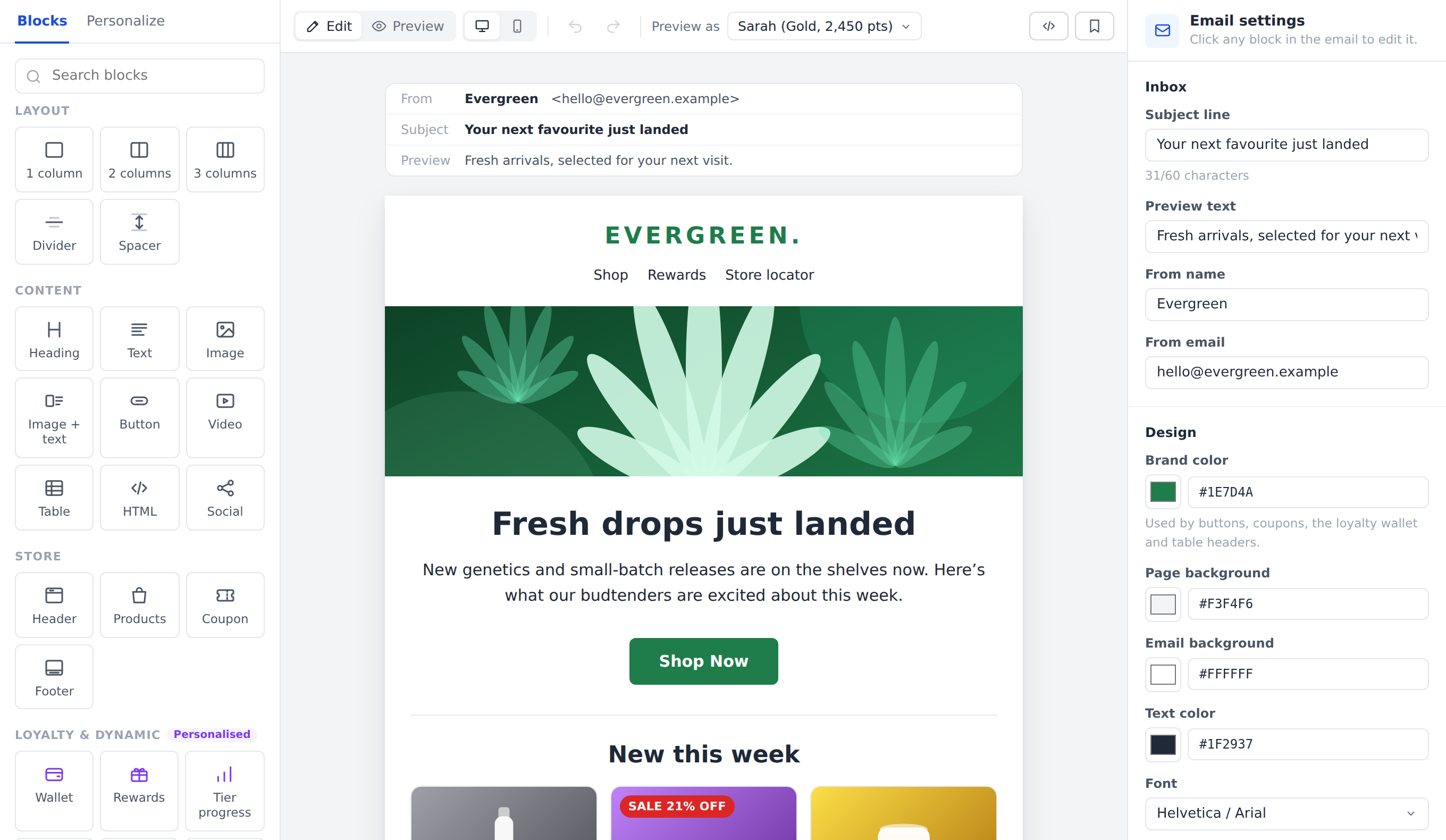
BUILD WITHOUT CODE
Your brand.
Ready to send.
Arrange content blocks, edit your message, and save a template for the next promotion.
EMAIL CAMPAIGNS FOR CANNABIS RETAIL
Promote products. Recover abandoned carts. Bring customers back with emails built around the next purchase.
A visual editor for products, coupons, loyalty, and your brand.
BUILD WITHOUT CODE
Arrange content blocks, edit your message, and save a template for the next promotion.
PUT YOUR CATALOG TO WORK
Bring products into the email with images, prices, and direct shopping links.

CONNECT THE OFFER
Select an existing coupon and carry its code and offer details into the campaign.

GIVE REWARDS A SPOTLIGHT
Include points, tier progress, and available rewards to give members a reason to return.

See how the message changes with the purpose.
PROMOTE THE OFFER
Highlight selected products, the offer, and its deadline. Send shoppers directly to the sale.
RECOVER THE ORDER
Use a cart reminder to show what they left behind and give them a direct way to finish checking out.
DRIVE THE NEXT VISIT
Show members their available rewards and connect the benefit to the next purchase.

CHOOSE THE RIGHT CUSTOMERS
Match products and offers to purchase history, brand preferences, and cart activity. Include email subscription status before you send.
Explore pre-built segmentsAUTOMATE THE NEXT STEP
Save reusable templates, schedule promotions, and connect emails to Engage journeys. Keep relevant follow-ups running while your team focuses on the store.
Explore marketing automationExample workflow. Set timing and conditions for your store.
THE DETAILS
No. Use the visual builder to arrange content and adjust the design. Save layouts as templates to reuse your branding and structure.
Yes. Select products from the catalog and add an existing coupon. Coupon blocks carry the offer details, while product blocks can include photos, prices, and shopping links.
Preview desktop and mobile layouts, review customer-specific content, and send a test. Check the audience, offer, and send time before launching the campaign.
BUILT FOR YOUR NEXT STAGE OF GROWTH